

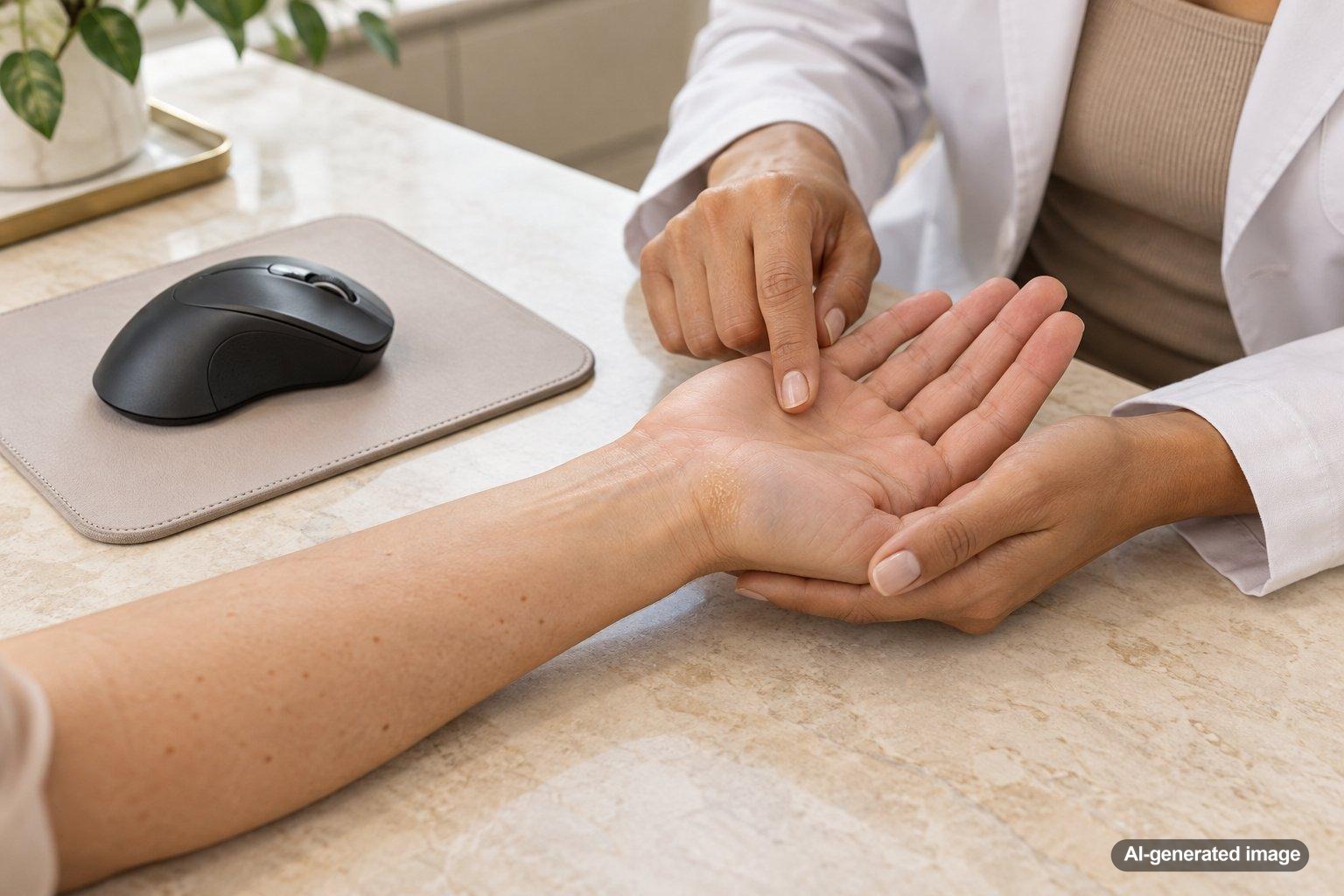
If you’ve noticed a small patch of thick, rough skin developing on your palm after spending hours at a computer, your mouse may be contributing to it. Repeated pressure and friction against the same area can encourage the outer layer of skin to thicken. This protective response may eventually create a callus, particularly where your palm rests against the desk, mouse, or edge of a wrist support.
A mouse-related callus is often more of a comfort or texture concern than a serious skin problem. Still, not every firm or rough patch on the hand is a callus, and changes in color, tenderness, or appearance deserve attention. Understanding the contact points involved can help you make simple adjustments without irritating your skin further.
Quick Answer: Why Does a Computer Mouse Cause a Palm Callus?
- Repeated friction: Small, repeated movements can rub the same portion of your palm against your mouse or desk.
- Concentrated pressure: Resting your weight on one part of your hand may encourage protective skin thickening.
- Mouse shape and grip: A mouse that doesn’t fit your hand comfortably may create pressure points.
- Long work sessions: Extended periods of contact can maintain irritation in the same location.
- Individual skin differences: Dryness, existing thickened skin, and personal gripping habits may influence how noticeable the area becomes.
Reducing repeated contact at the affected spot may help prevent additional thickening. However, a persistent or unusual growth should not automatically be attributed to computer use.
What Is a Callus on the Palm?
A callus is an area of thickened outer skin that commonly develops in response to ongoing friction or pressure. The outermost skin layer contains keratin, a structural protein that helps protect the skin from everyday wear. When a particular area experiences repeated mechanical stress, it may develop additional thickness.
On the palm, a callus may feel firm, dry, slightly raised, or less flexible than nearby skin. It can appear pale, yellowish, or similar in color to the surrounding skin. Many calluses are painless, although a thicker patch may become uncomfortable when pressure continues.
Calluses are familiar on the hands of people who lift weights, use tools, or perform repetitive manual tasks. A computer mouse can create a similar pattern when pressure and rubbing repeatedly affect a small area, even though the force involved is usually much lighter.
Importantly, a callus is not the same as a blister. A blister involves a pocket of fluid beneath the skin, often following relatively intense friction. A callus represents a more gradual buildup of thickened outer skin.
Where Does a Mouse-Related Callus Usually Develop?
The location depends on how you hold the mouse and which surfaces your hand touches. Common pressure points may include:
- The heel of the palm: The fleshy area near the wrist may rub against the desk during mouse movements.
- The outer edge of the palm: Some users keep the little-finger side of the hand in contact with the work surface.
- The base of the thumb: A narrow or unusually shaped mouse may concentrate pressure around this area.
- The base of the fingers: A tight grip or repeated contact with the mouse housing can create localized friction.
A thickened spot that closely matches a regular contact point may suggest a mechanical trigger. However, location alone cannot establish that a lesion is a callus.
Common Reasons Your Mouse May Be Creating Excess Friction
1. Your palm stays anchored in one position
Some people keep the heel of the palm fixed against the desk while moving the mouse with their fingers and wrist. This can cause repetitive rubbing at a small contact point rather than distributing movement across the arm.
2. The mouse is too small or too large
A mouse that doesn’t comfortably support your preferred grip may encourage excessive squeezing or awkward contact. A smaller mouse may leave more of the palm pressed against the desk, while a larger one may create pressure along a different part of the hand.
3. Your desk surface is rough
Textured desktops, exposed seams, and worn mouse pads may contribute to skin irritation when the palm repeatedly slides across them. Even subtle surface friction can become noticeable during long work sessions.
4. You grip the mouse more tightly than necessary
A firm grip can increase pressure at contact points. Some users tighten their grip when concentrating, gaming, or performing detailed design work without realizing it.
5. Your hand position puts weight on one area
Desk height, arm support, chair positioning, and wrist posture can influence how your hand contacts the mouse and surrounding surfaces. A posture that consistently loads one small area may contribute to thickened skin.
6. The skin is already dry or irritated
Dry skin may make an area of thickening feel rougher or more prominent. Frequent handwashing, cleaning products, and environmental dryness can also affect how comfortable the surrounding skin feels.
How Can You Tell Whether the Rough Spot Is Actually a Callus?
A typical friction-related callus develops gradually in an area that experiences repeated contact. It often has a relatively uniform, thickened texture without substantial inflammation.
Other skin changes can resemble a callus, including:
- Common warts: These may form firm, rough growths that sometimes interrupt normal skin lines or show tiny dark dots. They are not caused by mouse friction.
- Dry or irritated skin: Repeated exposure to soaps, cleansers, or other irritants may cause roughness, flaking, or cracking without producing a true pressure callus.
- Contact dermatitis: Skin irritation associated with a surface or material may cause redness, itching, burning, or scaling.
- Localized pressure injuries: Ongoing pressure can sometimes create painful or damaged skin rather than a simple area of thickening.
- Other skin growths: A persistent or changing raised lesion may require a dermatologist’s assessment to identify its cause.
If the area has unusual pigmentation, bleeds, grows, develops an irregular border, or does not resemble a straightforward friction-related thickening, a professional skin examination is appropriate.
What Can You Do at Home to Reduce a Mouse-Related Callus?
The most useful starting point is often to identify the repeated contact that may be contributing to the thickened skin. Conservative changes can reduce irritation while allowing you to observe how the area responds.
Adjust the way your palm contacts the desk
Notice whether your palm is continually dragging across the same surface. Experiment with small, comfortable changes to your mouse position, arm support, and movement pattern. Avoid forcing your wrist into an awkward position simply to keep your palm elevated.
Consider a mouse that fits your hand better
Mouse size, shape, button placement, and grip style can affect contact pressure. An ergonomic or differently shaped mouse may feel more comfortable for some users, but no particular design prevents calluses for everyone.
The important consideration is whether the alternative reduces pressure at the specific location where the skin has thickened.
Use a smooth, comfortable work surface
Inspect your desk and mouse pad for seams, worn areas, or rough textures that repeatedly touch your palm. A smooth surface may reduce rubbing. If you use a wrist rest, avoid placing continuous pressure on the same tender spot.
Take brief movement breaks
Regularly releasing your mouse and changing hand position can reduce prolonged contact. Gentle movement of the fingers, wrists, and arms may also make extended computer sessions more comfortable.
Moisturize the affected skin
A fragrance-free hand moisturizer may help maintain skin hydration and improve the feel of rough, dry areas. Applying moisturizer after washing your hands can be a practical part of your routine.
For particularly dry skin, a thicker moisturizer or plain petrolatum may help limit moisture loss. Choose products that feel comfortable and discontinue anything that causes irritation.
Avoid aggressively removing the thickened skin
Cutting, shaving, or forcefully scraping a callus can damage the skin and increase the risk of irritation or injury. Avoid using blades or sharp tools on the palm.
Strong exfoliating products may also be inappropriate for cracked, tender, or inflamed skin. If you have diabetes, reduced sensation, impaired circulation, or difficulty healing skin injuries, seek individualized medical guidance before attempting callus removal.
Will a Palm Callus Go Away if You Stop Using the Mouse?
A friction-related callus may gradually become less prominent when the pressure or rubbing that contributed to it is reduced. However, the degree and speed of improvement vary with the thickness of the skin, the duration of the friction, and whether the contact continues during other activities.
You may not need to stop using a computer mouse entirely. Small changes to grip, mouse fit, work surface, or hand positioning may be enough to reduce the repeated mechanical stress.
Skin texture can change gradually, so immediate improvement isn’t necessarily expected. If the spot remains unchanged despite reducing friction, becomes painful, or develops unusual features, a dermatologist can evaluate whether it is actually a callus.
Professional Options for a Persistent Palm Callus
If thickened skin remains bothersome, a dermatologist can examine its appearance, location, and relationship to repetitive pressure. The goal is to confirm what is causing the change before choosing an approach.
Depending on the findings, professional recommendations may include:
- Skin examination: Assessing whether the thickened area is a callus or another type of skin lesion.
- Targeted skin care: Discussing moisturizers or other appropriate products for rough, thickened skin.
- Careful reduction of thickened skin: Professional management may be considered when a substantial callus causes discomfort, depending on the location and skin condition.
- Evaluation of irritation: Exploring whether dryness, repetitive contact, or another skin problem is contributing to the symptoms.
- Additional evaluation when needed: Investigating unusual growths or persistent changes that do not fit the expected appearance of a callus.
Professional evaluation is particularly useful when the diagnosis is uncertain. Removing surface thickening alone may not address a problem caused by persistent pressure or an unrelated skin condition.
When Should You See a Dermatologist?
Consider a dermatology appointment if you notice any of the following:
- The thickened area becomes increasingly painful or interferes with hand movement.
- The skin cracks deeply, bleeds, or develops an open sore.
- There is spreading redness, warmth, swelling, drainage, or another sign of possible infection.
- The patch changes color, shape, or size without a clear explanation.
- The area has an unusual raised appearance or does not seem related to a regular contact point.
- The spot persists despite reasonable efforts to reduce friction.
- You are unsure whether the lesion is a callus, wart, or another skin growth.
Seek prompt medical attention for rapidly spreading redness, significant swelling, fever associated with a skin wound, or severe pain. Persistent numbness, weakness, or tingling in the hand also deserves medical assessment, as these symptoms are not explained by an ordinary surface callus alone.
Frequently Asked Questions
Can using a computer mouse every day really cause a callus?
Yes. Repeated friction or pressure from mouse use may contribute to callus formation, especially when the same portion of the palm rubs against a desk or mouse surface for extended periods. However, not every rough patch on the palm is caused by computer use.
Why is the callus only on my mouse hand?
Your dominant mouse hand may experience a different combination of grip pressure, repeated movement, and desk contact than your other hand. This uneven exposure can help explain why thickening develops on one side.
Is a palm callus from a mouse dangerous?
A straightforward friction-related callus is often harmless, although it can become uncomfortable or develop cracks. Pain, bleeding, unusual growth, or persistent skin changes warrant further evaluation rather than assuming the area is harmless.
Would switching to an ergonomic mouse help?
It may help if the new mouse reduces pressure at the affected contact point. Comfort depends on hand size, grip style, desk setup, and the specific mouse design. A different mouse is not a substitute for examining a concerning skin lesion.
Should I exfoliate the callus on my palm?
Gentle skin care may help with dryness, but aggressive exfoliation, cutting, and scraping can injure the skin. If the area is thick, painful, cracked, or difficult to identify, seek guidance before attempting to remove it.
Can a mouse callus look like a wart?
Yes. Both can produce a firm, rough area on the hand, but their underlying causes differ. Warts are associated with human papillomavirus, while calluses are generally responses to mechanical pressure or friction. A dermatologist can evaluate a spot when its appearance is unclear.
Keeping Your Hands Comfortable During Computer Work
A palm callus associated with mouse use often reflects repeated contact rather than a major skin problem. Looking closely at where your hand rests, how firmly you grip the mouse, and whether your work surface causes rubbing can help you identify useful adjustments.
Gentle moisturizing and reducing avoidable friction may help maintain more comfortable skin. If a rough or thickened patch remains persistent, painful, or unusual, a dermatologist can help determine its cause and discuss appropriate care.
Ready to get help?
Schedule an appointment or send a message and our team will get back to you.
Prefer to call? 954-666-3736
Disclaimer
This article is for educational purposes and is not medical advice. For diagnosis and personalized treatment, please book an appointment with a board-certified dermatologist.
